
Hard Drive

  • Welcome to Christian Forums, a Christian Forum that recognizes that all Christians are a work in progress.

    You will need to register to be able to join in fellowship with Christians all over the world.

    We hope to see you as a part of our community soon and God Bless!

rockytopva

Mod
Staff member
Dec 31, 2010
6,709
3,552
113
Faith
Christian
Country
United States
Gender
Male
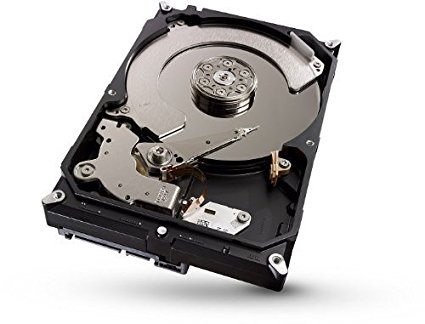
I am looking to replace a hard drive on my computer. I am looking for a 1TB solid state drive. Any suggestions? They call them solid state drives but I still see the moving platters. I wonder why?
 

lforrest

Admin
Staff member
Admin
Aug 10, 2012
6,637
8,060
113
Faith
Christian
Gender
Male
There shouldn't be any moving platters in an SSD unless it is one of those older hybrid drives that have both built in.
 

rockytopva

Mod
Staff member
Dec 31, 2010
6,709
3,552
113
Faith
Christian
Country
United States
Gender
Male
This drive advertises itself as a Seagate 2TB Desktop Gaming SSHD(Solid State Hybrid Drive) SATA 6Gb/s 64MB...

415437q1ekL._SX425_.jpg
 

lforrest

Admin
Staff member
Admin
Aug 10, 2012
6,637
8,060
113
Faith
Christian
Gender
Male
A hybrd drive like that only uses the SSD part for frequently accessed data. The platters still hold the bulk of the data like a normal HDD, while the SSD holds only a few MB.
But it is probably better than a standard hard drive, but definitely not as good as a pure SSD.
 

rockytopva

Mod
Staff member
Dec 31, 2010
6,709
3,552
113
Faith
Christian
Country
United States
Gender
Male
Thanks... I would want the pure SSD. Any recommendations for the big tower?
 

rockytopva

Mod
Staff member
Dec 31, 2010
6,709
3,552
113
Faith
Christian
Country
United States
Gender
Male
Thank you ever so much! That seems like a great deal!
 

StanJ

Lifelong student of God's Word.
May 13, 2014
4,798
112
63
72
Calgary, Alberta, Canada
Gender
Male
Rocky, I have a Kingston 120 Gig SSD, as my main drive. It was the best deal I could get online at the time. I also have a 500 Gig SATA for storage and backup.
This setup works fine for me, as I do NO gaming or graphics on it. It really depends on what you use your PC for I guess.
 

StanJ

Lifelong student of God's Word.
May 13, 2014
4,798
112
63
72
Calgary, Alberta, Canada
Gender
Male
rockytopva said:
If your motherboard doesn't have a PCI Express slot, this won't work for you, besides are you that well off that you can afford to spend a grand on this when you could probably get a whole PC for that money?
Here a pretty decent one and all you have to do is use your old HDD and monitor.
http://www.pcczone.com/home-office-computer-amd-processor.html
 

rockytopva

Mod
Staff member
Dec 31, 2010
6,709
3,552
113
Faith
Christian
Country
United States
Gender
Male
StanJ said:
If your motherboard doesn't have a PCI Express slot, this won't work for you, besides are you that well off that you can afford to spend a grand on this when you could probably get a whole PC for that money?
Here a pretty decent one and all you have to do is use your old HDD and monitor.
http://www.pcczone.com/home-office-computer-amd-processor.html
Yes... It is a lot of money. I have plenty of time to shop and think about things. I also have extra hard drives on my computer so it does not have to be a TB. I have the extra PCI express slot. I may wait and see if the price does not come down.
 

StanJ

Lifelong student of God's Word.
May 13, 2014
4,798
112
63
72
Calgary, Alberta, Canada
Gender
Male
rockytopva said:
Yes... It is a lot of money. I have plenty of time to shop and think about things. I also have extra hard drives on my computer so it does not have to be a TB. I have the extra PCI express slot. I may wait and see if the price does not come down.
Well as I said earlier, you can get a SATA SSD for as little as $100 and use those other drives for storage. That will give a big performance boost to your system. You don't need to be on the BLEEDING EDGE of technology to get good performance.
 

StanJ

Lifelong student of God's Word.
May 13, 2014
4,798
112
63
72
Calgary, Alberta, Canada
Gender
Male

rockytopva

Mod
Staff member
Dec 31, 2010
6,709
3,552
113
Faith
Christian
Country
United States
Gender
Male
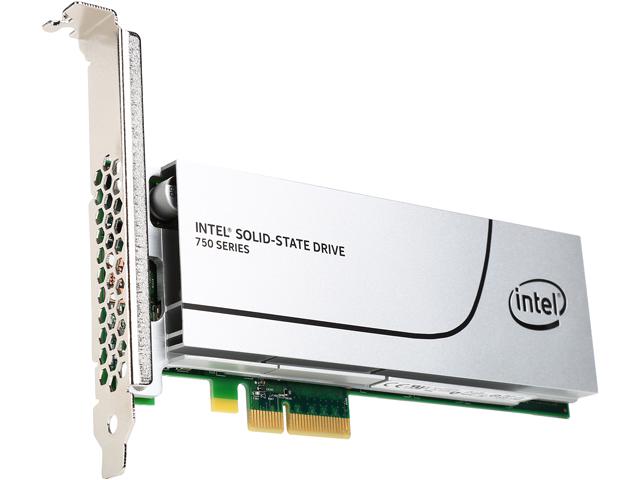
The PCI-e lines are the fastest lines to the processor, I am thinking the Intel SS drive the faster.
20-167-359-02.jpg
 

StanJ

Lifelong student of God's Word.
May 13, 2014
4,798
112
63
72
Calgary, Alberta, Canada
Gender
Male
rockytopva said:
The PCI-e lines are the fastest lines to the processor, I am thinking the Intel SS drive the faster.
20-167-359-02.jpg
You may want to compare the two based on your system specs. The EVO would be far cheaper without O big loss of performance comparitively.
 

rockytopva

Mod
Staff member
Dec 31, 2010
6,709
3,552
113
Faith
Christian
Country
United States
Gender
Male
Thanks for the input guys! The computer seems to be performing well so this is not a big hurry. It looks like we have not seen a great deal of progress in the processing and RAM areas so I will not consider building a new computer. However these new hard drives are tempting! So far I am leaning towards the SAMSUNG 850 EVO or the Intel 550 PCI-e drives.
 

lforrest

Admin
Staff member
Admin
Aug 10, 2012
6,637
8,060
113
Faith
Christian
Gender
Male
Computers usually have their boot drives selectable in the BIOS, I was wondering if a HDD on a PCI-e card would show up there as it is not a conventional place for a drive. Apparently people don't have problems with using it as a boot drive, but they may start about 5 seconds slower than SATA-3 drives. Perhaps it has to find a port or something. So your computer would boot up in 15 seconds as opposed to 10 seconds, but once it is booted the pci-e cards are supposedly faster.